
Free presentation
OSM ePad: Answer Sheets Written on Tablets
How students handwrite answers on a tablet and the script lands in onscreen marking with no printing, collecting or scanning.
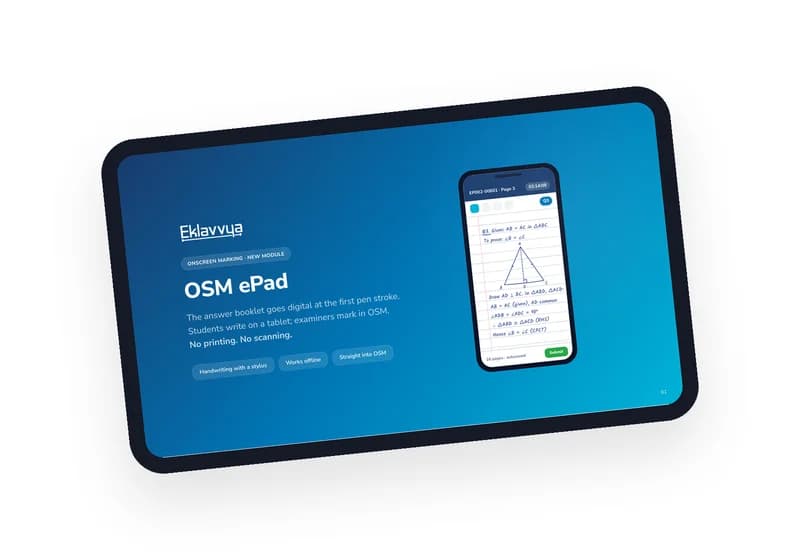
In this deck, you will discover
- Why paper booklets are the slowest link in onscreen marking
- How a script travels from the student's tablet to the examiner's screen
- Exam day in six steps, from check-in to sync
- Six layers of security, from a locked device to a full audit trail
- A 30–50 student pilot plan for one exam hall
Written for controllers of examination and exam departments moving off paper answer booklets
Explore the detailed guide about
OSM ePad
What is inside
The deck we use when an examination department asks what comes after scanning: students write on a tablet, and the answer script reaches onscreen marking without ever being printed, collected or scanned.
What this deck covers
- Why paper is the slowest step between the last pen stroke and the examiner
- What ePad replaces: the answer booklet itself, written with a stylus on ruled pages, offline, then sent straight into onscreen marking
- The path a script takes: tablet, hall relay, cloud, onscreen marking
- Exam day in six steps, and what the student and invigilator see
- Reliability and scale: at most 30 seconds of writing lost if a tablet fails, and up to 500 tablets per exam hall
- Six layers of security, the end-to-end validation, and the rollout roadmap
Who it is for
Controllers of examination and exam departments who already evaluate onscreen and want to remove printing, collection and scanning from the process.
- Free to download
- No obligation
- Your details stay with us
Before you download
What hardware do students need?
An Android tablet with a stylus pen, Android 10 or newer. A mid-range tablet in the Samsung Galaxy Tab S6 Lite class is the reference device.
Does the exam hall need internet?
No. Every stroke is saved and encrypted on the tablet while students write, and scripts sync once the network is available.
Do examiners have to learn a new system?
No. Scripts arrive in the same onscreen marking screen examiners use today, with each page already tagged to its question.
What happens after I download it?
You get the PDF immediately. If ePad fits your next exam, we can plan a pilot in one hall with your own students.
Would you rather see it running than read about it?
We will walk you through proctoring, evaluation and verification on your own exam setup.
Or call +91 95525 86428