Skip to content
Splashgain

The everyday problem

The letter arrives, gets forwarded, and nobody hears back.

  • A handwritten petition, filed in a register nobody reads

  • Forwarded to a department with no tracking number attached

  • The office learns it is late when the citizen returns

An office that acted looks unresponsive, because nothing was ever tracked.

What it does

Six agents, one role

Intake agent

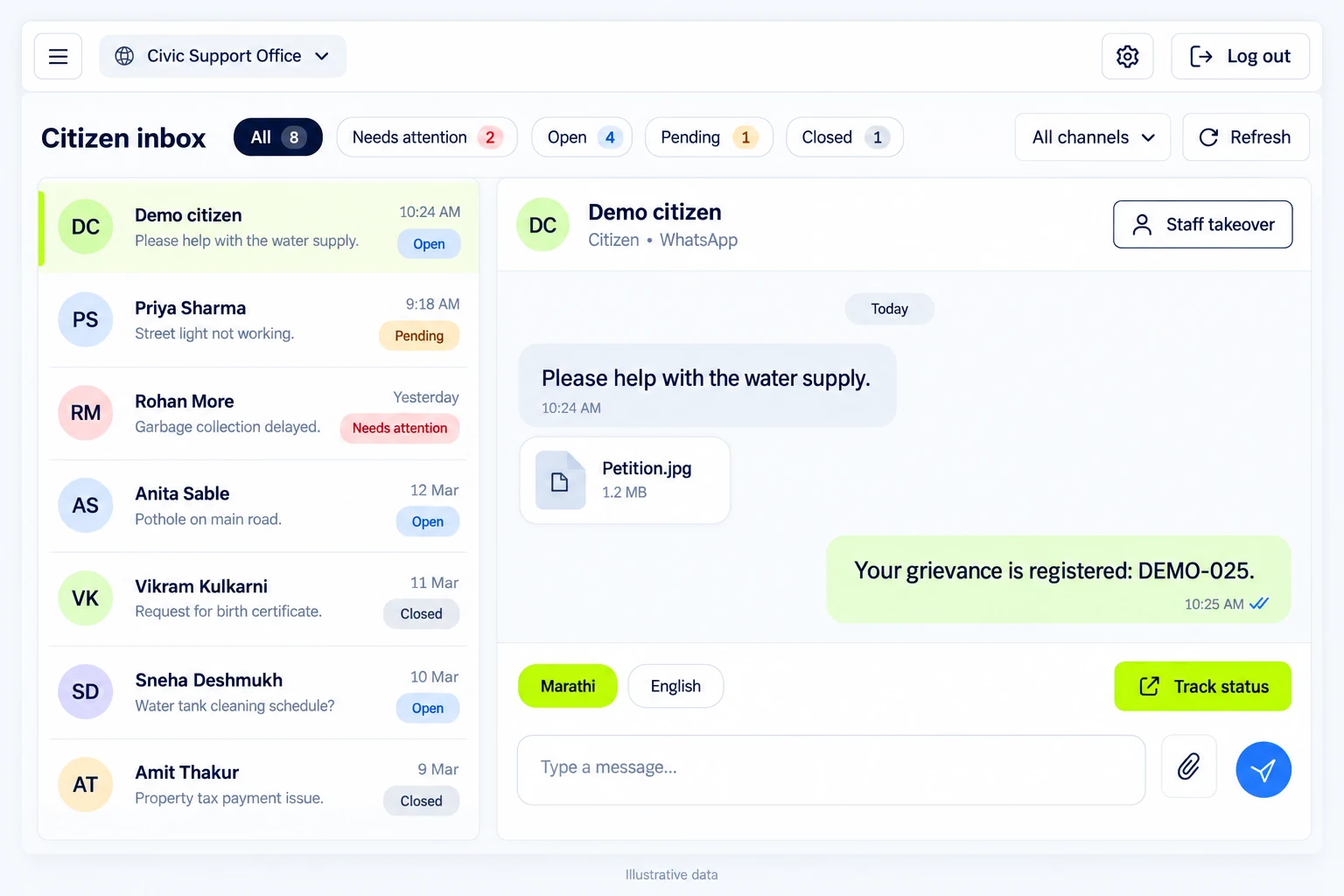
Every channel lands in one queue, not five registers.

  • Scanned letters uploaded in bulk from the front desk
  • Citizens send a photo or a PDF on WhatsApp
  • Email attachments picked up and filed automatically
  • One API call to push documents from any system

Extraction agent

A handwritten Marathi letter becomes a structured case.

  • Inward number, date, village, taluka and district read out
  • Applicant name, designation and phone taken from the letterhead
  • Subject kept in Marathi and translated to English
  • Category assigned from your list of departments

SLA agent

Every case carries a due date from day one.

  • Deadline read from the letter where it names one
  • Otherwise the resolution policy you set for that category
  • Overdue cases marked and escalated without anyone remembering

Notification agent

The office is told before the deadline, not after.

  • Email the moment a grievance is registered
  • A “due tomorrow” warning before the SLA breaks
  • Overdue and escalation alerts until it is resolved
  • A daily digest of pending, overdue and resolved

Citizen status agent

The citizen can check status without visiting the office.

  • A tracking link issued with every petition
  • Live status, registration date and expected resolution date
  • Works on any phone, with no app and no login

Insight agent

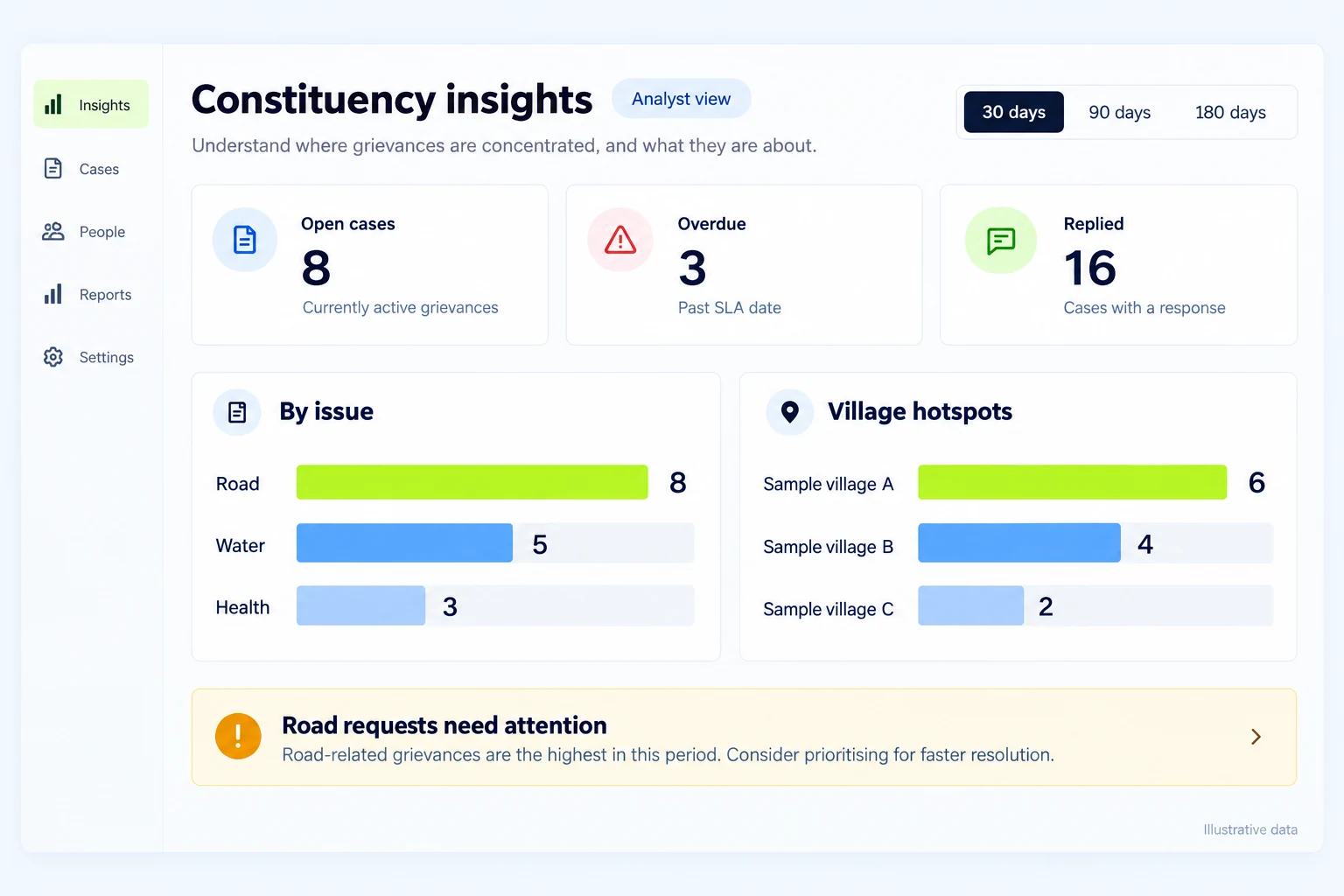
The month reads as sentences, not as a spreadsheet.

  • Village, taluka and district hotspots, ranked and clickable
  • Which categories are growing, and by how much
  • Recurring themes mined from the petitions themselves
  • A plain-language brief of what needs attention

Ready to see it in action?

Send us ten scanned petitions — we will show you what the system reads out of them.

Or call +91 95525 86428

What changes

Before and after

Today

  • Where the letter lives

    An inward register

  • Who knows the status

    Whoever forwarded it

  • When you learn it is late

    When the citizen returns

  • The monthly report

    Two days of counting

With the agents

  • Where the letter lives

    A searchable case file

  • Who knows the status

    The office and the citizen

  • When you learn it is late

    The day before it breaches

  • The monthly report

    Waiting on Monday morning

How the work moves

Who does which step

  1. 1Your team

    Receive

    Scan the letter, or let the citizen send it.

  2. 2AI agent

    Extract

    Fields read, translated, categorised and filed as a case.

  3. 3Your team

    Forward

    Assign an owner and route it to the department.

  4. 4AI agent

    Chase

    Reminders, overdue flags and escalation until it closes.

  5. 5Your team

    Close

    Record the resolution; the citizen sees it immediately.

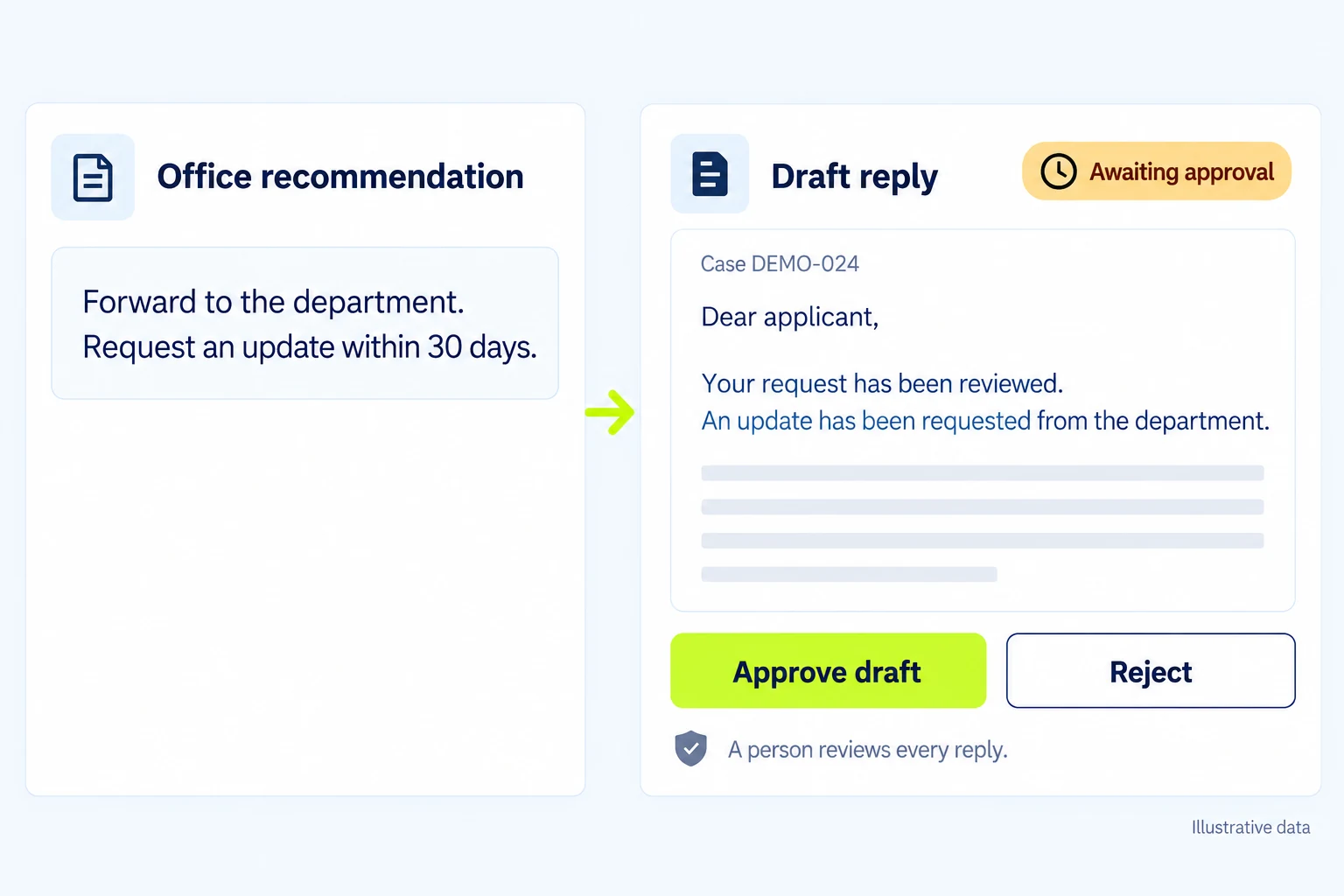
Where it stops A field the model was unsure of is never filed silently — it goes to a review queue an operator clears before the case moves on. The agents register, track and remind; they do not answer a policy question or commit the office to an outcome. Every status change is recorded against a named person.

The deadline, drawn

What happens between the letter and the answer

  1. Day 0

    The petition is scanned, extracted and registered with a number.

  2. Day 1

    An owner is assigned and it is forwarded to the department.

  3. Due − 1

    A “due tomorrow” warning reaches the office before it breaches.

  4. Overdue

    It is marked overdue, and the alert repeats until someone acts.

  5. Escalated

    Past the grace period it escalates to the senior desk.

Proof

The scale behind these agents

35+

AI agents running in our own production

500+
Customers worldwide
100%
Platform uptime
2
Cloud regions, monitored 24×7

Questions we are asked

Before you commit

Can it really read handwritten Marathi?

That is what it is built for. Pages go to a vision model rather than classic OCR, which is why cursive Marathi on a Gram Panchayat letterhead works where a scanner-based system does not. Anything the model is unsure of is flagged for a person to correct, never guessed.

Who can see a citizen’s phone number and address?

Only the roles you allow. Operators see the full record, viewers see contact details masked, and every view and edit is written to an audit trail against a named user. Nothing is handed to an outside vendor.

Where does the data sit?

On infrastructure you choose — a server in the office, or a cloud region you name. The documents, the database and the credentials for WhatsApp and email all stay inside that boundary.

Do citizens need to install anything?

No. They send a photo of the letter on WhatsApp, or receive a tracking link by SMS. The link opens the status, the registration date and the expected resolution date in any phone browser — no app, no account, no password.

Can we start with only the scanning and the tracking?

Yes, and most offices should. Scan-and-track is the smallest useful system: documents in, cases out, deadlines chased. WhatsApp intake, the citizen status link and the monthly insight brief can each be switched on later without moving the data.

Does it work for more than one office?

Yes. Every case belongs to an office, so a constituency office, a municipal ward and a Zilla Parishad department can run in one deployment without seeing each other’s records. Categories, deadlines and alert recipients are set per office.

Free presentation · 13 slides · PDF

Take the deck to your leadership team

The presentation we walk boards and CXOs through — thirteen slides on what deploying AI agents actually involves, from the roles to the guardrails to the commercials.

  • The eleven AI employees, and the job each one holds
  • Eight department packs, and the agents inside them
  • Six weeks from first conversation to one agent in production
  • Three commercial models, and what each includes
Download the deck

No cost. Work email and organisation only.

Start with the pile already on the desk.

Ten letters, scanned exactly as they are. You will see the fields, the categories and the deadlines the system would have set — before you commit to anything.

Book an Agent Readiness Sprint

Or call +91 95525 86428

Book a demo

See it running on your process